
# Create Drawing Examples
# Generate CAD Engineering Section Drawing from Frontend Data
# Effect
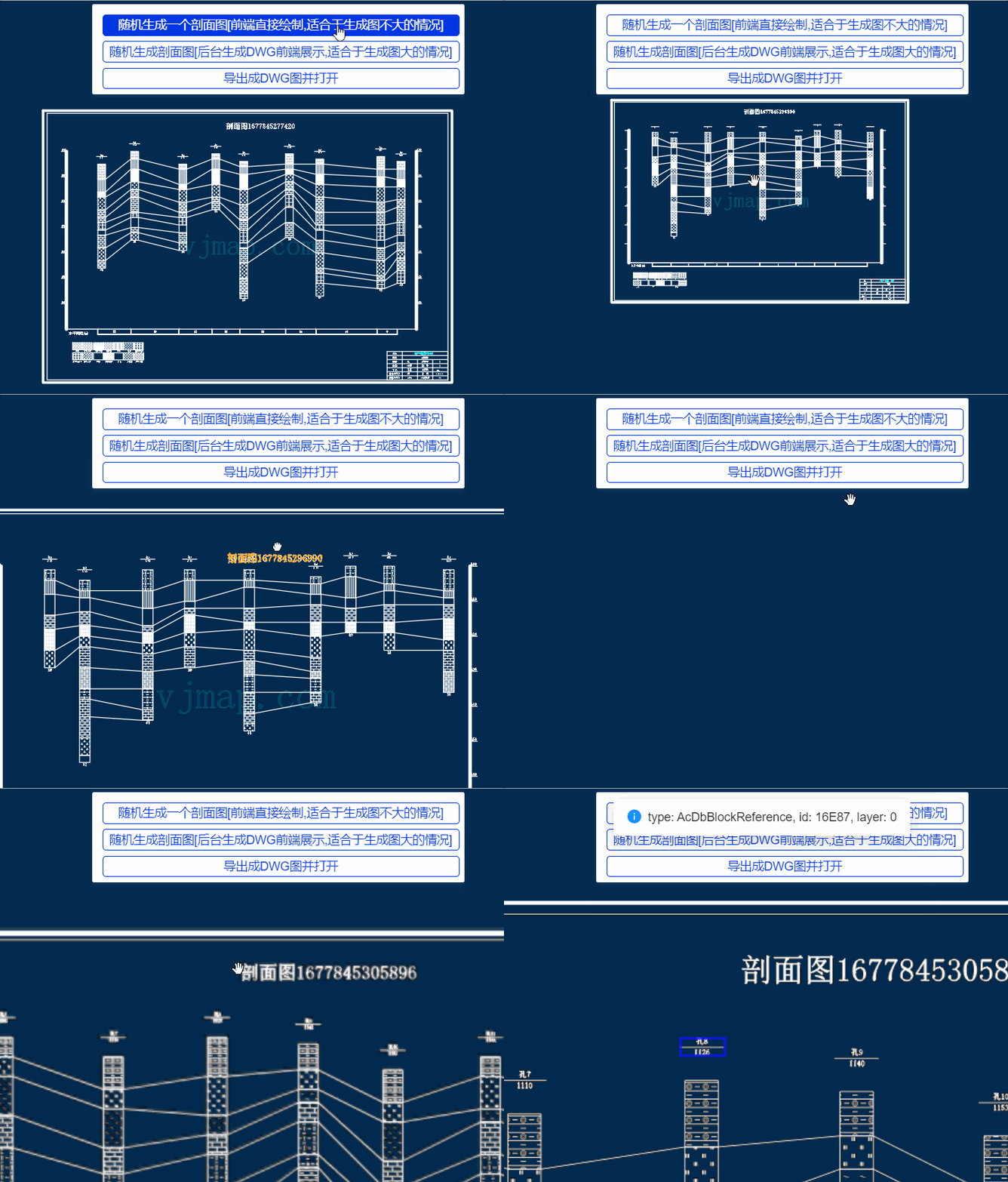
# What Features Does It Support?
- Supports creation of 27 CAD entity types, such as lines, text, hatches, etc.
- Supports modify, clone, and delete operations on entities in DWG drawings
- Supports creating CAD layers, linetypes, block definitions, and text styles
- Supports copying entities from external drawings into the current CAD drawing
- Supports creation and setting of block attribute text
- Created CAD geometry can be displayed directly in the frontend as GeoJSON, with selection and move support
- Created CAD geometry can be displayed in the frontend with click-to-show entity type and attributes
- Can export to DWG format
# Implementation Principle
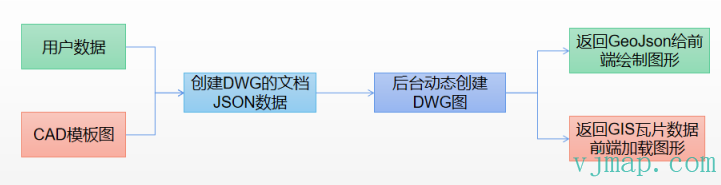
(1) Use templates for constant elements such as legends. Copy these entities directly when creating the drawing. For title blocks, insert from external drawings; fields that need to be edited (e.g. drafter, date) can be created as block attribute text and set during creation. The section drawing template above comes from these two template drawings.
Section drawing template: 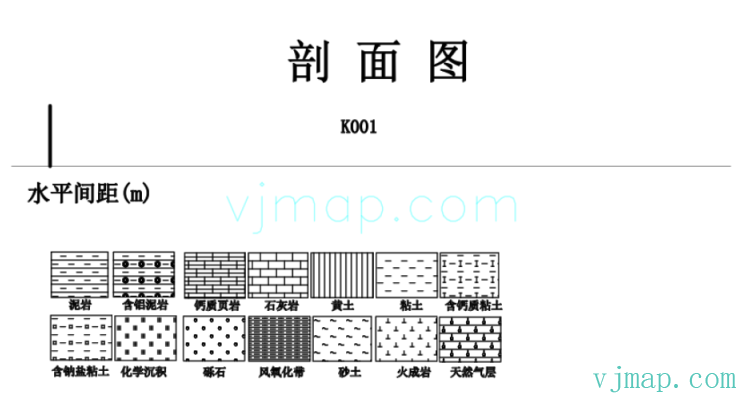
View section drawing template online (opens new window)
Title block template: (Unit and date are block attribute text; values can be set when inserting)
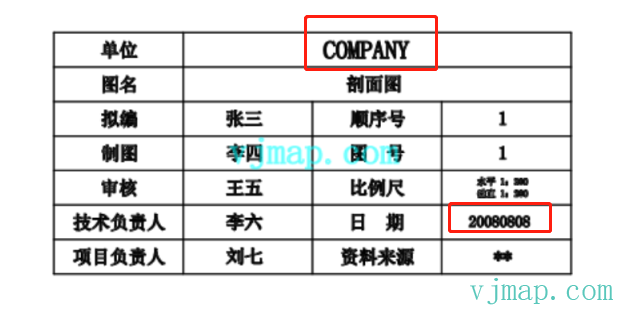
View title block template online (opens new window)
(2) Obtain the drawing data to create. The example uses simulated data.
(3) Create the relevant entities using the CAD entity creation methods provided by the VJMap https://vjmap.com/ (opens new window) SDK. Supported entity types include DbLine (line), DbCurve (curve), Db2dPolyline (2D polyline), Db3dPolyline (3D polyline), DbPolyline (polyline), BlockReference (block reference), DbArc (arc), DbCircle (circle), DbEllipse (ellipse), DbHatch (hatch), Text (single-line text), DbMText (multiline text), RasterImage (raster image), DbShape (shape), Spline (spline), Wipeout (wipeout), Dimension (dimension), Db2LineAngularDimension (angular dimension [two lines]), Db3PointAngularDimension (angular dimension [three points]), DbAlignedDimension (aligned dimension), DbArcDimension (arc dimension), DbDiametricDimension (diametric dimension), DbOrdinateDimension (ordinate dimension), DbRadialDimension (radial dimension), DbRadialDimensionLarge (radial dimension with leader), DbRotatedDimension (rotated dimension), AcDbAttributeDefinition (attribute definition), AcDbAttribute (block attribute), DbLayer (layer), DbTextStyle (text style), DbDimStyle (dimension style), DbLinetypeStyle (linetype style), DbBlock (block definition), DbDocument (database document).
Tips to reduce code:
- Tip 1: Copy entities from the template and modify their properties. This reduces parameters and code.
- Tip 2: For repeated objects, create blocks and define variable text as block attributes. Then create block references repeatedly and modify the attribute text.
(4) Build a JSON object from the created data and call the VJMap service to create the DWG drawing in the backend.
(5) Return the created DWG data to the frontend as GeoJSON or GIS tiles. For small drawings, GeoJSON works well. For large drawings, GeoJSON can be slow and affect rendering; use GIS raster or vector tiles instead.
# Online Demo
https://vjmap.com/demo/#/demo/map/comprehensive/03datatodwgmap (opens new window)
# Auto-Generate from Template Data
Auto-generate and export DWG from a CAD template using data (opens new window)
CAD template: View CAD template online (opens new window)
